

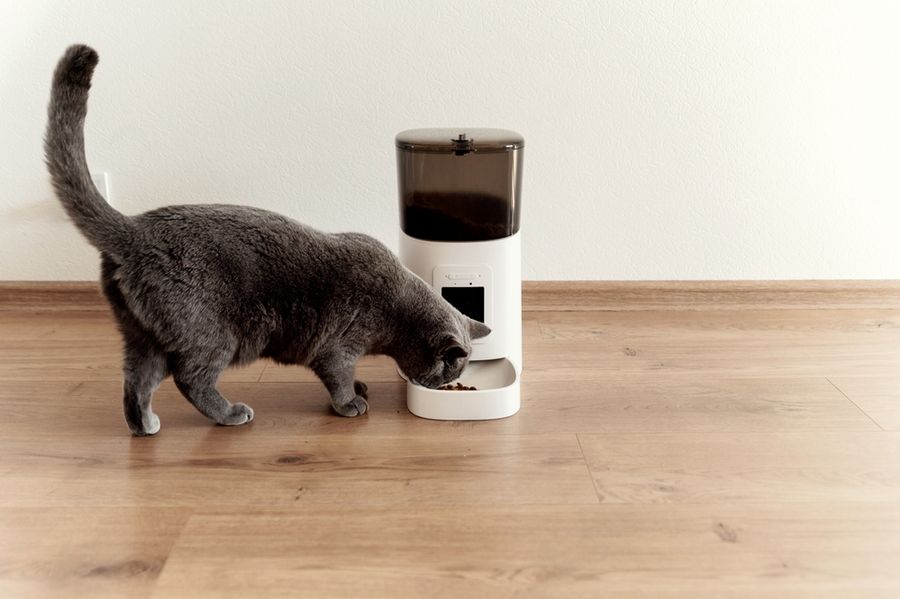
An indoor pet camera with a treat dispenser lets owners check in, speak to their pet, and send a snack from another room or while away from home. Models vary in how they move, what treats they accept, how they connect to Wi-Fi, and whether they record clips or rely on live viewing. Comparing those practical differences can help narrow the choices to a device that fits the pet’s habits and the home’s layout.
What Matters in a Camera-and-Treat Setup
Indoor Pet Cameras should make it easy to find the animal, see what’s happening, and dispense a suitable treat without repeated setup. This comparison focuses on camera coverage, treat handling, connectivity, recording choices, and placement. The main tension is between devices that offer a simple view of one area and models that use rotation or movement to follow pets through a larger space.
Pet Cameras With Treat Dispensers at a Glance
|
Option |
Suitable For |
Main Advantage |
Main Trade-Off |
|---|---|---|---|
|
Wall-mounted check-ins |
Dual-band Wi-Fi |
Single-room framing |
|
|
Wide room coverage |
Rotating 2K view |
Treat size limits |
|
|
Moving dogs indoors |
Automatic tracking |
Plan-based extras |
|
|
Flexible treat tossing |
Adjustable dispensing |
2.4GHz Wi-Fi |
|
|
Multi-room interaction |
Driveable camera |
Needs floor access |
Five Options for Remote Pet Check-Ins
All five devices combine live video with remote treat dispensing, but they approach room coverage and interaction differently. Will the pet usually remain near one camera position, or does the device need to find the animal elsewhere in the home?
Closer Pets TreatView: Suitable for Wall-Mounted Check-Ins
Closer Pets TreatView fits a household that wants to secure the camera above a pet’s reach and watch one main room. It offers a 130-degree field of view, two-way audio, app-controlled treat tossing, and support for both 2.4GHz and 5GHz Wi-Fi. The included adhesive bracket allows wall placement without drilling, although the five-foot power cable still limits where the unit can go.
Closer Pets TreatView Pros
- Dual-band Wi-Fi gives households more network flexibility than models restricted to one band.
- The adhesive wall bracket can keep the camera and treats away from curious paws.
Closer Pets TreatView Cons
- The 130-degree field covers a defined area rather than following a pet around the room.
- The dispenser accepts uniformly shaped dry treats or kibble measuring 10 to 15 millimeters.
Confirm that the intended mounting point has nearby power and keeps the pet inside the camera’s viewing area.
Dokoo Dog Camera: Suitable for Wide Room Coverage
Dokoo’s camera suits a pet that moves between several areas of the same room. Its 130-degree lens combines with 290 degrees of rotation to create a stated 330-degree view. The camera records in 2K resolution, includes color night vision and two-way audio, and can send motion or sound alerts. It also supports rolling cloud storage and a microSD card for local recordings.
Dokoo Dog Camera Pros
- App-controlled rotation can reveal areas that a stationary wide-angle lens may miss.
- Local card storage provides a recording option that doesn’t depend entirely on cloud access.
Dokoo Dog Camera Cons
- The dispenser is designed for dry treats within a stated size range of 0.2 to 0.7 inches.
- Rotation still covers only the room where the unit has been placed.
This model requires a stable position where the rotating body won’t be blocked by furniture or knocked over.
Furbo 360° Dog Camera: Suitable for Moving Dogs Indoors
Furbo 360° Dog Camera is designed for dog owners who want the camera to adjust as their pet moves. The app can rotate the device, while automatic dog tracking can help keep the animal in view. Its documented features include 1080p video, night vision, two-way audio, and treat tossing that can send rewards toward different parts of the room.
Furbo 360° Dog Camera Pros
- Automatic dog tracking reduces the need to search the room manually during every live check-in.
- The rotating dispenser can direct treats toward different sides of the room.
Furbo 360° Dog Camera Cons
- Smart alerts and recorded video tools are connected to the optional Furbo Nanny service.
- Its dog-focused tracking and alerts may offer less value in a home that only has cats.
Review which functions work without an ongoing plan before deciding whether the complete service matches the household’s needs.
Petcube Bites 2 Lite: Suitable for Flexible Treat Tossing
Petcube Bites 2 Lite fits owners who want more control over how treats leave the dispenser. The app can adjust the amount and throwing distance, while an autoplay setting can dispense treats without a live interaction. The camera has 1080p video, night vision, an eight-times digital zoom, a 160-degree view, and two-way audio. Its container holds dry treats and includes inserts that change how many pieces are released.
Petcube Bites 2 Lite Pros
- Adjustable treat inserts and app controls accommodate different dispensing amounts and distances.
- The unit can stand on a surface or use the included wall-mounting hardware.
Petcube Bites 2 Lite Cons
- Setup requires a 2.4GHz Wi-Fi network rather than supporting both common home bands.
- Treats should be crunchy, uniformly shaped, and no larger than one inch.
Check the home router settings and intended treat shape before choosing this model.
Pumpkii BQ75: Suitable for Multi-Room Interaction
Pumpkii BQ75 takes a different approach by placing the camera and dispenser on a mobile robot. The owner can open the app, view a live 2K feed, and drive the unit toward a pet in another accessible room. Treats can be released with one tap or through a schedule, and the device includes two-way audio. Its removable container holds about 200 grams of dry treats or kibble.
Pumpkii BQ75 Pros
- Remote driving allows the camera to search accessible rooms instead of waiting for the pet to approach it.
- One-tap and scheduled dispensing support both live interaction and planned snack times.
Pumpkii BQ75 Cons
- The robot’s usefulness depends on clear floor routes between the areas the pet uses.
- Treats or kibble should be dry and less than one centimeter in diameter.
Check thresholds, stairs, thick rugs, and closed doors before relying on a mobile camera for broader coverage.
Where These Cameras Differ Most
The underweighted issue is often not video resolution but whether the pet remains within the device’s physical reach. A fixed or wall-mounted camera can work smoothly in one predictable room, while rotation helps when the animal moves around that room.
A driveable model reaches farther but introduces floor-layout limits. Treat size, Wi-Fi compatibility, local recording, and paid cloud features can then decide which design is practical.
Choose Around the Pet’s Actual Routine
Choose Closer Pets TreatView when the animal spends most of its alone time in one room and wall placement would protect the device. Petcube Bites 2 Lite makes more sense when adjustable treat delivery and a large container matter, provided the home network supports its connection requirements.
Consider Pumpkii BQ75 when the pet regularly changes rooms and the floors provide an open route for the robot. The ability to move is less useful in a home divided by stairs, closed doors, or obstacles, so the layout should guide the purchase before extra camera features do.
Start With Coverage, Then Check the Treats
The right device begins with one question: where will the pet actually be during a remote check-in? Choose a stationary, rotating, or mobile design around that pattern, then verify the accepted treat size and Wi-Fi requirement on the current product page. A camera that can consistently find the pet and dispense the household’s normal treats is more useful than one chosen mainly for its longest feature list.