

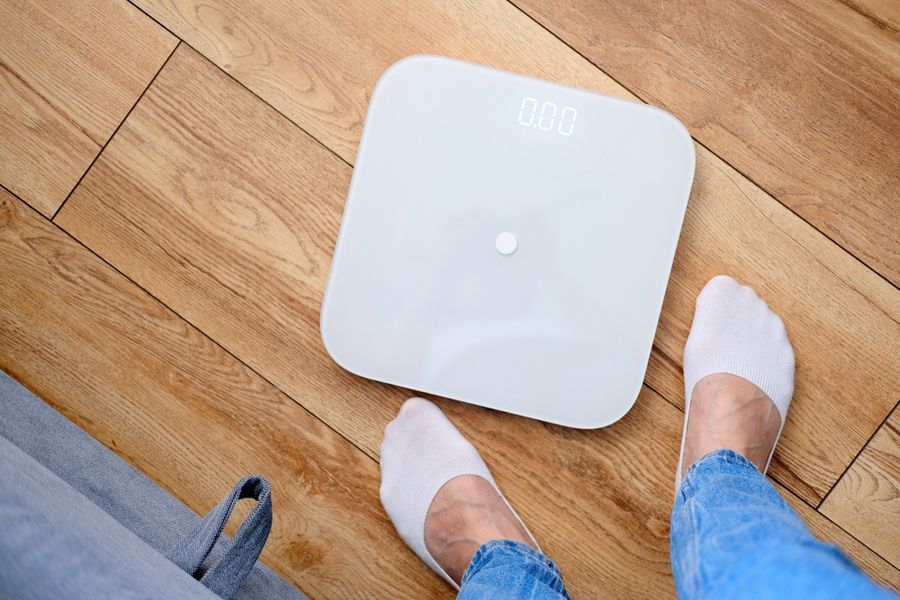
A shared smart scale needs to do more than display weight. It must recognize different people, keep their records separate, and send each reading to the right account without creating extra work every morning. Some models support large households but require careful setup, while others trade advanced body measurements for simpler use. Fortunately, several choices stand out for different family sizes, privacy needs, and app preferences.
How These Household Smart Scales Were Ranked
The order reflects four practical concerns: the number of supported profiles, how reliably readings reach the correct person, whether household members can keep data private, and how much effort each weigh-in requires. Body-composition features matter, but they rank behind smooth profile handling for this article.
When two models offer similar household support, automatic syncing breaks the tie. A scale that saves and assigns readings without requiring someone to open an app is easier to share during a busy morning.
Multi-User Smart Scales Ranked at a Glance
|
Rank |
Option |
Best For |
|---|---|---|
|
1 |
Large active households |
|
|
2 |
Mixed family needs |
|
|
3 |
Detailed shared tracking |
|
|
4 |
Private household profiles |
|
|
5 |
Simple weight tracking |
1. Garmin Index S2: Best for Large Active Households
The Garmin Index S2 takes first place because it supports as many as 16 users, more than the other models in this comparison. Each person can receive measurements through an individual Garmin Connect account, while Wi-Fi sends readings to the cloud without requiring a phone beside the scale. It’s especially practical when several household members already use Garmin watches or fitness devices.
Garmin Index S2 Pros
- Support for 16 users gives larger families or shared homes more room than most competing scales.
- Wi-Fi syncing sends measurements to each person’s Garmin Connect account without requiring the app to remain open.
Garmin Index S2 Cons
- Each household member must have a Garmin Connect account and accept an invitation to join the scale.
- Its strongest value comes within Garmin’s fitness system, so households using other apps may not gain the same convenience.
Choose this model when several active users want their scale, workouts, and wearable data in one place. The main trade-off is that the whole household must be willing to use Garmin Connect.
2. Withings Body Smart: Best for Mixed Family Needs
Withings Body Smart ranks second because its household features extend beyond ordinary adult profiles. It automatically recognizes and tracks up to eight people, while its specialized settings include Athlete, Pregnancy, Baby, and Eyes Closed modes. Wi-Fi and Bluetooth syncing place weigh-ins in the Withings app, and the color display can show several results directly on the scale.
Withings Body Smart Pros
- Automatic recognition supports eight users without requiring them to select a profile before every weigh-in.
- Baby, Pregnancy, Athlete, and Eyes Closed modes serve household members with different tracking preferences.
Withings Body Smart Cons
- Household support stops at eight profiles, so it may not suit a larger shared residence or team.
- Full setup and trend review require the Withings app and an account for each person who wants private records.
Move this scale to first place for a smaller household that needs varied modes rather than the highest user limit. Its accepted trade-off is a lower profile capacity than Garmin offers.
3. RENPHO MorphoScan Nova: Best for Detailed Shared Tracking
The RENPHO MorphoScan Nova earns third place for households that want more detailed body-composition estimates. It uses foot and hand contact points and can store information for up to eight profiles on the scale. It can recognize registered users, match readings to the appropriate profile, and sync individual records to the RENPHO Health app.
RENPHO MorphoScan Nova Pros
- Eight locally stored profiles allow household members to receive separate records without rebuilding their settings each time.
- The handle adds hand contact points for people who want more detailed segmental estimates than a foot-only scale provides.
RENPHO MorphoScan Nova Cons
- Guest profiles and members added under another person’s account can’t freely move their records between devices.
- Using the retractable handle creates a longer weighing process than stepping onto a basic platform.
This model fits a household where several adults actively review body-composition trends and don’t mind a more involved scan. The drawback is a more complicated account structure for guests, children, or people without registered accounts.
4. Wyze Scale X: Best for Private Household Profiles
Wyze Scale X ranks fourth because it balances shared hardware with private records. The scale can recognize and sync data for up to eight registered users, while an unlimited number of guests can take one-time measurements. Shared users can access the scale’s functions, but each person sees and manages only their own measurement history.
Wyze Scale X Pros
- Eight recognized profiles and unlimited guest weigh-ins work well for households that often have visitors.
- Individual users can view their own records without gaining access to another household member’s measurements.
Wyze Scale X Cons
- Automatic identification becomes less dependable when household members have similar body weights.
- Bluetooth syncing means stored readings reach the app only after the appropriate person reconnects with a phone.
Choose Wyze when privacy between adults matters and occasional visitors also need to use the scale. The main limitation is that close weight ranges or delayed Bluetooth syncing can create extra profile-management work.
5. Fitbit Aria Air: Best for Simple Weight Tracking
Fitbit Aria Air places fifth because it’s easy for multiple people to share, but its measurements are intentionally basic. Anyone in the home can open their personal Google Health app, step onto the scale, and sync an individual weight reading through Bluetooth. The app can calculate BMI from that weight and the person’s profile information, but Aria Air doesn’t measure body-fat percentage.
Fitbit Aria Air Pros
- Each person uses a separate app account, which keeps household weight trends divided by default.
- The weight-only design avoids presenting a long list of body-composition estimates that some families won’t use.
Fitbit Aria Air Cons
- The user must open the app and keep a phone nearby for the reading to sync.
- It tracks weight and app-calculated BMI rather than body fat, muscle, water, or other composition estimates.
This scale is the clearest fit for a Fitbit household that only wants personal weight trends. It ranks last because it offers less automatic recognition and fewer measurements than the other options.
What Separates the Rankings
The most important household feature isn’t the number of measurements listed on the box. It’s whether the scale can place a routine weigh-in in the correct private record with little help from the user. Garmin’s larger profile limit and Wi-Fi syncing therefore matter more for a busy shared home than an extra group of estimated health metrics.
That judgment can change when the household has fewer members. Withings moves ahead for specialized modes, RENPHO becomes more appealing for detailed scans, and Wyze offers a strong privacy setup for adults who don’t want to share progress records.
How to Choose a Multi-User Smart Scale
Choose Garmin Index S2 when the household is large or already uses Garmin Connect. Choose Withings Body Smart when family members have different needs, such as athletic tracking, pregnancy settings, baby weighing, or a preference not to see numbers during the weigh-in. Both models reduce phone handling through Wi-Fi.
Choose RENPHO MorphoScan Nova when detailed body estimates justify using a handle and managing more complex profiles. Pick Wyze Scale X when private accounts and guest use matter more than Wi-Fi. Fitbit Aria Air is the simpler path when each person only wants weight and BMI trends and doesn’t mind opening an app.
Make Sure Everyone Can Use the System
This ranking favors user capacity, correct profile assignment, privacy, and low-effort syncing, but a smaller household may reasonably prefer a lower-ranked model. Before buying, verify how many independent accounts the scale supports and whether the app must be open during each weigh-in. Those two details will reveal whether the product can become a shared household tool rather than another device managed by one person.